CTA Studio for WordPress: Build Fully Customised Call-to-Action Boxes Without Writing a Single Line of Code
Every piece of content on a WordPress site competes for the reader’s attention. A well-placed call-to-action box — one that stands out visually, communicates a clear offer, and gives the reader an obvious next step — can be the difference between a visitor who bounces and one who converts. Yet most WordPress themes give you no native way to create these boxes. You either rely on a generic shortcode plugin that produces something generic, or you install a full page builder that adds far more complexity than the task requires.
CTA Studio is a WordPress plugin built specifically for this problem. It gives you a live visual designer for creating fully customised call-to-action boxes, a library of saved designs, and a simple shortcode system for embedding them anywhere on your site — without touching your theme files or writing any CSS.
What Is CTA Studio?
CTA Studio is a WordPress plugin that adds a dedicated admin panel for designing, saving, and embedding call-to-action boxes. You open the designer, build your box using a set of visual controls, see the result in a live preview, and save it. The plugin assigns each design a unique ID, which you use in a shortcode to embed the box in any post, page, or widget area.
The plugin is designed to be self-contained. It does not require a page builder, does not add scripts to every page on your site, and does not depend on any third-party service. You install it, design your boxes, and embed them where they are needed.
Why Call-to-Action Boxes Matter
A call-to-action box is a focused, visually distinct unit of content with a single purpose: to prompt the reader to take a specific action. Download a guide. Start a free trial. Read the next article. Subscribe to a newsletter. The box frames the offer, provides a brief supporting statement, and presents a button that makes the next step obvious.
The challenge in WordPress is that creating these boxes typically means either writing custom HTML and CSS inline in the post editor — which is fragile, inconsistent, and difficult to update — or using a plugin that either locks you into a rigid template or requires a full drag-and-drop builder to operate. CTA Studio sits between those extremes: it gives you genuine design flexibility through a visual interface, without the overhead of a page builder.
Key Features of CTA Studio
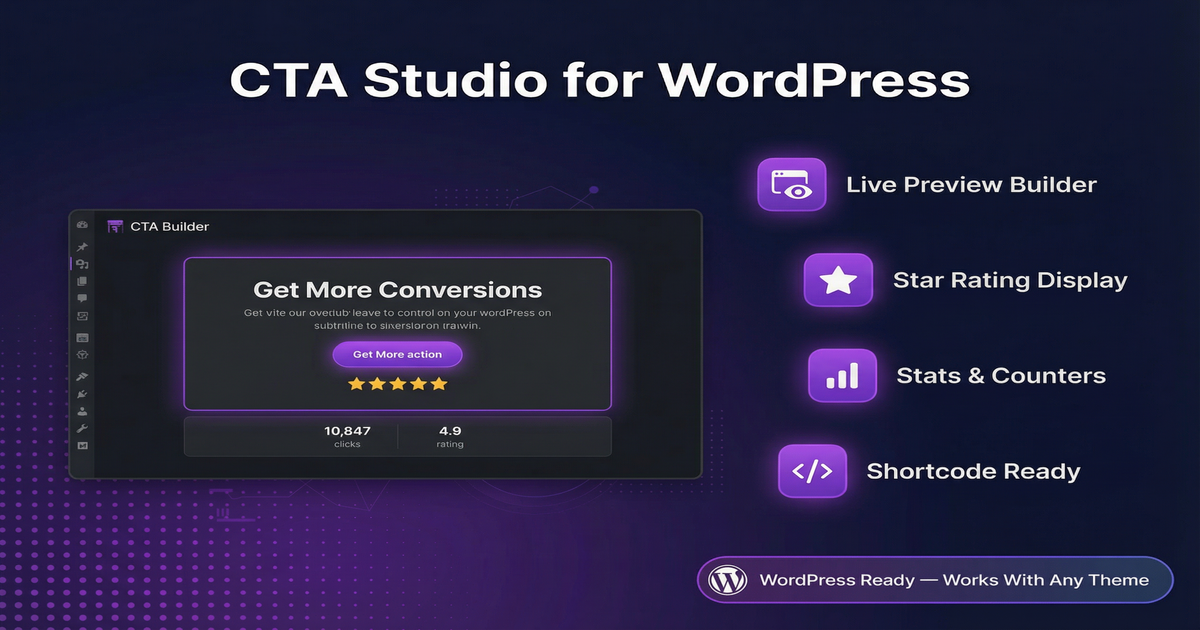
1. Live Preview Designer
The core of CTA Studio is its live preview designer. Every change you make — to the headline, description, button text, colours, fonts, or layout — is reflected immediately in the preview panel. You see exactly what the box will look like before you save it. There is no need to save, navigate to the front end, and refresh to check the result.
This real-time feedback loop makes the design process fast and iterative. You can experiment with different colour combinations, button styles, and typography settings and see the effect immediately.
2. Saved Designs and Folders
Every design you create is saved to the plugin’s Saved Designs library. Designs are stored with a unique ID, a name, and a preview thumbnail. You can organise designs into folders — by campaign, by content type, by client, or by any structure that suits your workflow.
When you need to update a design, you open it in the designer, make the change, and save. The shortcode remains the same, so the updated design appears automatically in every location where it is embedded.
3. Shortcode Embed
Embedding a saved design is a single shortcode: [cta_box design_id=”123″]. Paste it into any post, page, or widget area and the box renders at that location. The shortcode accepts optional parameters that allow you to override the headline, button text, and button link inline — useful when you want to reuse a design template with different copy in different contexts.
4. Button Customisation
CTA Studio gives you full control over the call-to-action button. You can set the button text, the destination URL, the background colour, the text colour, the border radius, and whether the button uses a gradient. The gradient option allows you to create two-colour button backgrounds that add visual depth without requiring any CSS knowledge.
5. Typography Controls
The plugin includes a typography panel with access to over 30 Google Fonts. You can set the font family, size, colour, and spacing for the headline and description text independently. This allows you to create typographic contrast between the headline and the supporting copy — a standard technique for directing the reader’s eye to the most important element first.
6. Box Style Controls
The box style panel gives you control over the container itself: background colour or gradient, border radius, border width and colour, and padding. These controls allow you to create boxes that match your site’s visual language — whether that is a flat, minimal style or a more decorative treatment with rounded corners and a coloured border.
7. Canvas Controls
Canvas controls let you set the overall width, height, and maximum width of the CTA box. This is useful for creating boxes that span the full content width, or for constraining a box to a narrower column for use in sidebars or within multi-column layouts.
8. Shortcode Override
The Shortcode Override field in the designer allows you to replace the plugin’s built-in button with any other shortcode. If you use a separate button plugin, an affiliate link shortcode, or any other shortcode-based element, you can paste it into this field and it will render in place of the default button — giving you the full design flexibility of CTA Studio around any existing shortcode you already use.
9. Stars — Pro Feature
CTA Studio Pro adds a star rating display to your call-to-action boxes. You can choose a rating from 1 to 5 stars, set the colour and size of the stars, and add an optional label such as “4.9 out of 5” or “Rated Excellent”. Star ratings appear above the headline, providing immediate social proof before the reader engages with the rest of the box.
This feature is particularly effective for product promotions, course landing pages, and any context where a visible rating reinforces the credibility of the offer.
10. Stats — Pro Feature
CTA Studio Pro adds a stats counter section to your call-to-action boxes. You can display up to three statistics, each with a number (such as “10,000+”) and a label (such as “Happy Users” or “5-Star Reviews”). Optional dividers can be shown between stat items. Stats appear below the description text, giving readers a concrete, data-driven reason to take action.
This feature is well-suited to software products, membership sites, and services where quantitative social proof — user counts, review counts, satisfaction metrics — is a meaningful part of the conversion argument.
How to Use CTA Studio
Step 1 — Install and Activate. Upload the plugin zip via Plugins → Add New → Upload Plugin, then activate it. A CTA Studio menu item will appear in your WordPress admin sidebar.
Step 2 — Build a Design. Open CTA Studio from the sidebar. Use the designer panels on the left to set your headline, description, button text, button link, typography, box style, and canvas size. The live preview on the right updates as you make changes.
Step 3 — Find Your Design ID. After saving, the design appears in the Saved Designs list. Click on it to see the URL in your browser — it will contain design_id=123. Note that number; it is used in the shortcode.
Step 4 — Embed with a Shortcode. Paste [cta_box design_id=”123″] into any post, page, or widget area. You can also override the headline inline: [cta_box design_id=”123″ title=”Your Custom Headline”], or override the button: [cta_box design_id=”123″ button=”Get Started” link=”https://example.com”].
Step 5 (Pro) — Add Stars and Stats. With an active Pro licence, two additional panels appear in the designer. The Stars panel lets you choose a rating, colour, size, and label. The Stats panel lets you add up to three stat items, each with a number and a label. Both sections render inside the CTA box, above and below the main content respectively.
Step 6 — Activate Your Pro Licence. Go to CTA Studio → Licence in your WordPress admin and enter your licence key. Once activated, the designer will show PRO in the header and the Stars and Stats panels will unlock.
Who Should Use CTA Studio?
CTA Studio is suited to any WordPress site owner who needs to create visually distinct call-to-action boxes without a page builder. It is particularly valuable for:
Bloggers and content publishers who want to add conversion-focused boxes to posts without disrupting their writing workflow or editing HTML.
Affiliate marketers who need to create product promotion boxes with custom buttons, social proof ratings, and key statistics — and reuse those designs across multiple posts.
Course creators and digital product sellers who want to present their offer with a polished, branded box that includes star ratings and user statistics.
Agency owners and freelancers who build sites for clients and need a reliable, lightweight tool for creating CTA boxes that can be updated centrally and embedded anywhere.
Pricing and Plans
CTA Studio is available in two tiers:
Free — Full access to the live preview designer, saved designs, folders, shortcode embed, button customisation, typography controls, box style controls, canvas controls, and shortcode override. Suitable for creating and embedding fully customised CTA boxes at no cost.
Pro ($29.00) — Everything in Free, plus the Stars and Stats panels for adding social proof ratings and statistics to your boxes, and auto-updates delivered via your licence key. A one-time purchase.
The Pro plan is priced to be accessible for individual site owners and bloggers while delivering the social proof features that make a meaningful difference to conversion rates.
Final Thoughts
A call-to-action box is one of the highest-leverage elements on a content page. It frames an offer, provides supporting evidence, and gives the reader a clear next step. Done well, it converts readers into subscribers, customers, and followers. Done poorly — or not done at all — it leaves that conversion potential unrealised.
CTA Studio gives you the tools to do it well. Design your boxes visually, save them to a library, embed them with a shortcode, and update them centrally when your offer or copy changes. The free version covers everything you need for a polished, fully customised box. The Pro version adds the star ratings and statistics that turn a good CTA into a compelling one.
Ready to start building better call-to-action boxes?
Download CTA Studio today and start converting more of your WordPress traffic.
Ready to get started with CTA Studio?
Download it today and start using it on your WordPress site.