Instant Button Builder for WordPress: The Easiest Way to Create Professional Call-to-Action Buttons
What Is Instant Button Builder?
- A custom label and link
- Full colour control for background, text, and border
- Hover and animation effects
- Size, padding, and border-radius settings
- Responsive behaviour across all screen sizes
Why Use Instant Button Builder?
1. Design Buttons That Match Your Brand
- Match your exact brand colours
- Choose from rounded, square, or pill-shaped styles
- Set font size and weight independently
- Add shadows and borders for depth
2. Place Buttons Anywhere With a Shortcode
- Insert buttons mid-paragraph to capture attention at the right moment
- Add multiple different buttons to a single page
- Reuse the same button across dozens of pages from one central edit
- Update a button’s design once and have it update everywhere instantly
3. Increase Click-Through Rates Without a Page Builder
- Increase product page conversions
- Drive more email list signups
- Improve affiliate link click-through rates
- Guide visitors to your most important pages
4. No Coding Required
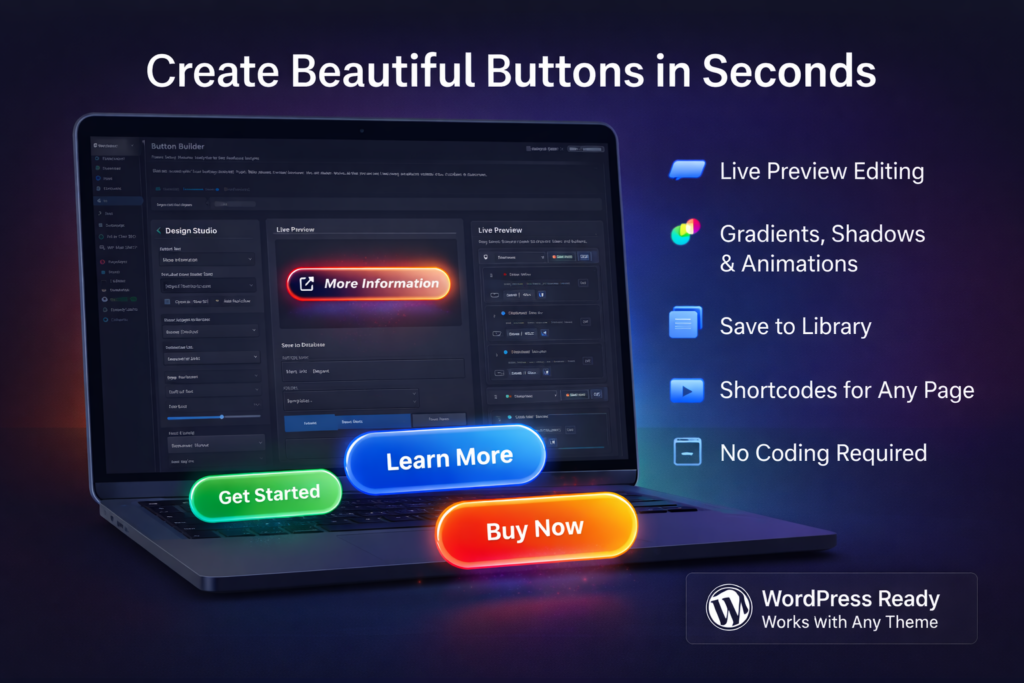
- Design buttons entirely through the visual editor
- Preview changes in real time before saving
- Embed buttons using auto-generated shortcodes
- Manage your full button library from one admin screen
Where to Use Call-to-Action Buttons for Best Results
- Homepage hero sections
- Landing pages
- Product or service pages
- After an introductory paragraph
- Mid-article at a natural pause
- Following a key benefit statement
- Before or after pricing tables
- At the end of blog posts
- Adjacent to testimonials or social proof
What Makes a High-Converting Button?
Clear, Action-Oriented Label
“Click Here”
“Download the Free Plugin” or “Start Your Free Trial”
Strong Visual Contrast
- Use a colour that contrasts with the page background
- Ensure the label text is legible at a glance
- Add a hover effect to signal interactivity
- Give the button enough padding to appear prominent
Consistent Branding
Mobile-Optimised Size
- Set a minimum button height that is easy to tap
- Avoid full-width buttons that overwhelm small screens
- Test your buttons at 375px viewport width before publishing
Who Should Use Instant Button Builder?
- Plugin and software developers promoting their products
- Affiliate marketers driving clicks to partner offers
- Bloggers linking to recommended resources
- Course creators directing students to enrolment pages
- eCommerce store owners highlighting featured products
- Membership site owners promoting subscription tiers
- Agencies building sites for clients who need easy button management
Common Mistakes to Avoid
When every section has a button, none of them stand out. Prioritise the one action you most want visitors to take on each page and make that button prominent.
Labels like “Submit” or “Click Here” give the visitor no reason to act. Always describe the outcome the visitor will receive.
A button that is difficult to distinguish from the background will be overlooked. Test your colour combinations against your page background before publishing.
A button that looks perfect on desktop may be too small or poorly positioned on mobile. Always preview your button at mobile viewport sizes.
SEO Benefits of Better Call-to-Action Design
- Reducing bounce rate as visitors engage with your content
- Increasing pages per session as visitors follow internal links
- Improving time on site as users explore further
- Signalling content quality and relevance to search engines
Choosing the Right Button Plugin for WordPress
- A live visual editor so you can see changes before saving
- Shortcode-based embedding that works in any WordPress location
- Full design customisation including colour, size, shape, and hover effects
- A button library so you can manage all buttons from one screen
- Responsive behaviour built in, not bolted on
- Lightweight code that does not slow your site
Why Button Design Still Matters
- Communicates intent clearly
- Reduces friction at the point of decision
- Reinforces your brand identity
- Guides the visitor toward the outcome you want
- Works consistently across every device and screen size
Final Thoughts
Once you've designed your button, copy the shortcode provided by Instant Button Builder and paste it into the desired WordPress page's content editor.
While Instant Button Builder includes extensive customization options, you can also add your own CSS by targeting the button's class or ID if further styling is needed.
Yes, buttons created with Instant Button Builder automatically adjust to be responsive across various device sizes and screen resolutions.
Absolutely. You can save your button design to your library and use the associated shortcode on multiple pages or posts.
You can select and customize hover effects directly within the Instant Button Builder's visual editor to see real-time changes as you adjust the settings.
Instant Button Builder offers several animation options that you can preview and apply through its live editor, such as fading, bouncing, or scaling effects.
No, Instant Button Builder does not impose a limit on the number of buttons you can create and save to your library.
The plugin allows you full color control over button elements, so you can input your exact HEX or RGB color codes to ensure consistency with your brand.
While Instant Button Builder does not directly integrate with analytics tools, you can track clicks by integrating the shortcode with custom tracking snippets if supported by your tool.
The plugin is designed to be lightweight and efficient, minimizing its impact on your site's loading times while offering powerful button customization options.
Ready to get started with Instant Button Builder?
Download it today and start using it on your WordPress site.