Skillful Pinterest Scheduler for WordPress: Automate Your Pinterest Strategy and Grow Your Traffic on Autopilot
Pinterest is one of the few social platforms where content has a lifespan measured in months rather than minutes. A single well-timed pin can drive consistent traffic to your site long after it was published. But maintaining that consistency manually — uploading images, writing descriptions, selecting boards, hitting publish — is a daily task that compounds into hours of lost time each week.
Skillful Pinterest Scheduler connects your WordPress site directly to your Pinterest boards and handles the entire publishing workflow automatically. You set the schedule, build the queue, and the plugin does the rest.
What Is Skillful Pinterest Scheduler?
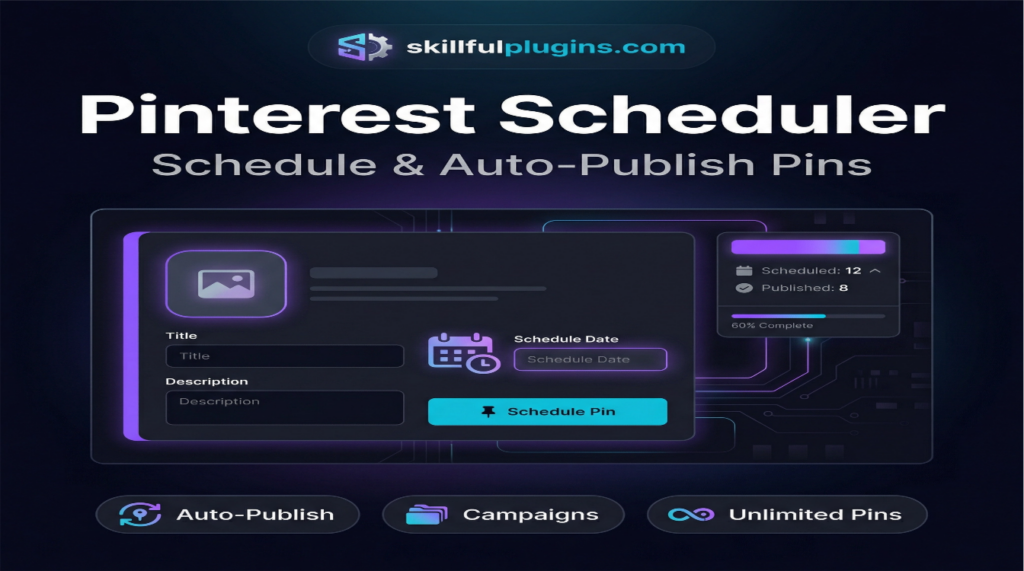
Skillful Pinterest Scheduler is a WordPress plugin that lets you schedule, queue, and auto-publish pins to your Pinterest boards directly from your WordPress dashboard. It eliminates the need to log into Pinterest manually or use a third-party scheduling service.
The plugin connects to the Pinterest API and supports:
Multiple Pinterest boards from one or more accounts
Bulk pin scheduling with custom dates and times
Auto-publishing of new blog posts as pins the moment they go live
Campaign management to organise pins by topic or promotion
Pin performance tracking with click and impression data
Everything is managed from a single dashboard inside WordPress — no browser tabs, no third-party logins, no manual uploads.
Why Pinterest Still Drives Serious Traffic
Unlike Twitter or Facebook, where content disappears within hours, Pinterest operates as a visual search engine. Users actively search for ideas, products, and tutorials — and pins that rank well in those searches continue receiving clicks for months or years.
For WordPress site owners, this means:
Blog posts can continue generating traffic long after publication
Product pages benefit from ongoing organic discovery
Evergreen content compounds in value over time
A consistent pinning schedule builds authority in your niche
The challenge is maintaining that consistency without it consuming your working day. That is exactly the problem Skillful Pinterest Scheduler solves.
Key Features of Skillful Pinterest Scheduler
1. Direct Pinterest API Integration
Skillful Pinterest Scheduler connects directly to the official Pinterest API. There are no intermediary services, no additional subscriptions, and no third-party accounts required beyond your existing Pinterest login.
Once connected, you can:
Access all your boards from the WordPress dashboard
Select specific boards for each pin or campaign
Manage multiple Pinterest accounts from one site
Revoke access at any time from your Pinterest settings
2. Bulk Pin Scheduling
Instead of scheduling one pin at a time, Skillful Pinterest Scheduler lets you build a queue of pins in advance and assign each one a specific publication date and time.
This means you can:
Spend one hour per week preparing a full week of pins
Spread pins across optimal posting times without manual effort
Maintain a consistent presence even during busy periods
Plan seasonal campaigns weeks or months in advance
Batch scheduling transforms Pinterest from a daily chore into a weekly planning task.
3. Auto-Publish New Posts as Pins
When you publish a new blog post or product page in WordPress, Skillful Pinterest Scheduler can automatically create and publish a pin for it — using the featured image, post title, and excerpt as the pin content.
This automation ensures:
Every new piece of content is immediately promoted on Pinterest
No posts are missed or forgotten
The pin is published at the optimal time you have pre-configured
Your Pinterest presence grows in line with your content output
For bloggers and content publishers, this feature alone saves significant time each week.
4. Campaign Management
Skillful Pinterest Scheduler includes a campaign system that lets you group related pins together under a single campaign. This is useful for:
Seasonal promotions (e.g., Black Friday, Christmas, summer sales)
Product launches where multiple pins promote the same item
Content series where each post in a sequence gets its own pin
Niche topic clusters that target a specific audience segment
Campaigns give you a structured way to plan and review your Pinterest activity at a higher level.
5. Pin Performance Analytics
The plugin’s built-in analytics dashboard shows click and impression data for your scheduled and published pins. You can see which content performs best and use that information to refine your strategy.
Metrics available include:
Total impressions per pin
Click-through rate
Top-performing boards
Performance trends over time
Understanding what resonates with your audience allows you to produce more of what works and less of what does not.
Who Should Use Skillful Pinterest Scheduler?
Skillful Pinterest Scheduler is particularly effective for:
Bloggers who publish regularly and want consistent Pinterest promotion
eCommerce store owners driving product discovery through visual search
Affiliate marketers promoting offers through Pinterest traffic
Recipe, DIY, home decor, and lifestyle publishers — niches where Pinterest excels
Digital product creators building an audience for courses, ebooks, or templates
Agencies managing Pinterest accounts for multiple clients
Any WordPress site that benefits from sustained, compounding traffic will see returns from a consistent Pinterest presence.
How to Build a Pinterest Strategy That Works
Pin Consistently, Not Constantly
Pinterest rewards consistency over volume. Pinning five to ten times per day on a regular schedule outperforms sporadic bursts of fifty pins followed by days of silence. Skillful Pinterest Scheduler makes this consistency effortless by distributing your queue evenly across your chosen posting times.
Use Vertical Images
Pinterest is optimised for vertical content. Pins with a 2:3 aspect ratio (e.g., 1000 x 1500 pixels) take up more space in the feed and receive more engagement than square or horizontal images. When creating pin images from your WordPress content, prioritise this format.
Write Keyword-Rich Descriptions
Pinterest functions as a search engine. Users type queries to find content, and the algorithm uses pin titles and descriptions to determine relevance. Write descriptions that include the keywords your target audience would search for — not hashtag lists, but natural sentences that describe the content clearly.
Pin to Multiple Relevant Boards
A single piece of content can be pinned to multiple boards if it is relevant to each. A recipe post, for example, might belong on a “Healthy Dinners” board, a “Meal Prep Ideas” board, and a “Quick Weeknight Meals” board. Skillful Pinterest Scheduler lets you assign each pin to multiple boards as part of a campaign.
Repurpose Evergreen Content
Pinterest’s long content lifespan means that older posts can be re-pinned periodically with fresh images or updated descriptions. Build a rotation of your best-performing evergreen content into your scheduling queue to keep it circulating without creating new material from scratch.
Pricing and Plans
Skillful Pinterest Scheduler is available in three tiers:
Free — Core scheduling functionality with a limited number of scheduled pins per week, suitable for getting started
Professional ($97.00) — Unlimited scheduled pins, full campaign management, and analytics for a single site
Commercial ($149.00) — All Professional features plus the ability to use the plugin on client sites
The free plan is a fully functional starting point. Upgrading to Professional or Commercial removes the scheduling limits and unlocks the full feature set.
Final Thoughts
Pinterest is an underutilised traffic source for most WordPress site owners. While other social platforms require constant engagement and paid promotion to maintain visibility, Pinterest rewards consistent, quality content with long-term organic reach.
The barrier for most site owners is not strategy — it is time. Logging in daily, uploading images, writing descriptions, selecting boards, and hitting publish is a workflow that does not scale.
Skillful Pinterest Scheduler removes that barrier entirely. You plan your content once, set your schedule, and the plugin handles publication automatically — whether you are working, travelling, or away from your desk.
If Pinterest is not currently part of your traffic strategy, this is the most efficient way to start. If it already is, this is the tool that makes it sustainable.
Skillful Pinterest Scheduler is a WordPress plugin that allows you to automatically schedule and publish Pins directly from your WordPress dashboard to your Pinterest boards.
The scheduler connects directly to the official Pinterest API, enabling access to all your boards from within WordPress without requiring third-party services.
Yes, Skillful Pinterest Scheduler allows you to manage multiple Pinterest accounts from one WordPress site, streamlining your pinning process.
Bulk pin scheduling lets you queue multiple pins for future publication, saving time by allowing you to plan and schedule an entire week's worth of pins in a single session.
Yes, the plugin can automatically create and publish a pin for new posts using the featured image, post title, and excerpt, ensuring immediate promotion on Pinterest.
The campaign management system allows you to group related pins under a single campaign, ideal for managing promotions, product launches, or content series.
Skillful Pinterest Scheduler includes an analytics dashboard showing click and impression data, helping you understand which pins perform best.
Yes, there is a free version that offers core scheduling functionality, suitable for getting started, with limited scheduled pins per week.
Automation helps maintain consistent pinning without consuming daily time, ensuring your Pinterest presence grows alongside your content output.
It allows you to periodically re-pin older posts with fresh images or updated descriptions, keeping evergreen content circulating without creating new material.
Ready to get started with Skillful Pinterest Scheduler?
Download it today and start using it on your WordPress site.
We use cookies to ensure that we give you the best experience on our website. If you continue to use this site we will assume that you are happy with it.