FAQ Schema Generator for WordPress: Get Your FAQs Into Google Rich Results Without Writing a Single Line of Code
When a user searches for something on Google, FAQ rich results appear directly in the search listings — expanding to show questions and answers before the user even clicks through to a site. These expanded listings take up significantly more screen space, push competitors further down the page, and drive higher click-through rates for the sites that have them.
FAQ Schema Generator gives you a simple dashboard interface to build structured FAQ blocks, output valid JSON-LD markup automatically, and assign them to any post or page on your site — no coding, no manual schema editing, no third-party tools required.
What Is FAQ Schema?
FAQ schema is a type of structured data markup that tells search engines the content on your page includes a list of questions and answers. When Google reads this markup and finds it valid, it may display your FAQs as an expandable rich result directly in the search listings.
The markup format Google requires is JSON-LD — a structured data format embedded in the page’s HTML. Writing it manually is error-prone and time-consuming. FAQ Schema Generator handles the entire process automatically, producing clean, valid JSON-LD from the questions and answers you enter through the plugin’s interface.
Why FAQ Rich Results Matter for SEO
FAQ rich results provide several measurable advantages over standard search listings:
They occupy significantly more vertical space in the search results page, reducing the visibility of competing listings
They allow users to see answers to their questions before clicking, which increases trust and attracts more qualified traffic
They can appear alongside your existing meta title and description, effectively giving your listing two entry points
They signal to Google that your content is well-structured and directly answers user queries
They are particularly effective for informational and commercial investigation queries — the type that precede purchasing decisions
For competitive search terms, the difference between a standard listing and one with FAQ rich results can be the difference between being noticed and being overlooked.
Key Features of FAQ Schema Generator
1. Visual FAQ Builder
FAQ Schema Generator provides a clean, intuitive interface for building FAQ blocks directly inside your WordPress dashboard. You add questions and answers through a simple form — no HTML, no JSON, no schema syntax to learn.
The builder supports:
Unlimited questions per FAQ group
Rich text answers including links, bold text, and lists
Drag-and-drop reordering of questions
Duplicate FAQ groups to use as templates for similar pages
2. Valid JSON-LD Schema Output
The plugin outputs schema markup in the JSON-LD format that Google recommends. The generated code is clean, valid, and structured to meet Google’s rich result guidelines.
Each FAQ group generates:
A properly formatted FAQPage schema type
Individual Question and Answer entities for each entry
Correct escaping and encoding to prevent validation errors
Output injected automatically into the page head — no manual template editing required
You can validate the output at any time using Google’s Rich Results Test tool.
3. Styled Accordion Display
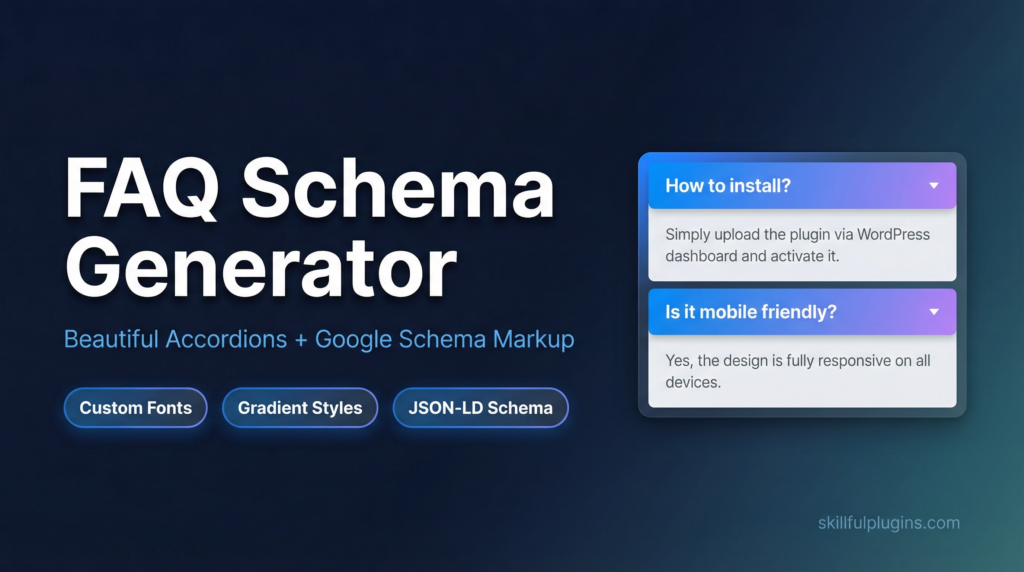
In addition to the schema markup, FAQ Schema Generator renders your FAQ blocks as styled accordion elements on the front end of your site. Visitors can expand and collapse individual questions without the page reloading.
The accordion styling includes:
Custom font selection to match your theme typography
Gradient and solid colour options for question headers
Smooth open and close animations
Fully responsive layout that works on all screen sizes
No custom CSS required — all styling is controlled through the plugin settings
4. Assign FAQ Groups to Any Post or Page
Once you have created an FAQ group, you can assign it to any post, page, or custom post type on your site. A single FAQ group can be reused across multiple pages, or you can create unique FAQ groups for each piece of content.
Assignment options include:
Per-post assignment via a meta box in the post editor
Shortcode embedding for flexible placement within content
Multiple FAQ groups on a single page for comprehensive coverage
5. Live Preview Before Publishing
The plugin includes a live preview panel that shows exactly how your FAQ accordion will appear on the front end before you publish it. You can adjust styling, reorder questions, and verify the layout without switching between the admin and the live site.
Who Should Use FAQ Schema Generator?
FAQ Schema Generator is effective for any WordPress site that wants to improve its search visibility through structured data. It is particularly valuable for:
Bloggers and content publishers who cover topics with common reader questions
eCommerce stores with product FAQ sections that address purchase objections
Service businesses that want to answer client questions directly in search results
SaaS and software companies with support documentation and feature FAQs
Affiliate sites where FAQ sections support commercial intent queries
Local businesses targeting informational searches in their area
Any page that answers questions — which is most pages on most sites — is a candidate for FAQ schema markup.
How to Write FAQs That Perform in Search
Match Questions to Real Search Queries
The most effective FAQ questions are phrased the way users actually type them into search engines. Use tools like Google Search Console, Google’s “People Also Ask” boxes, and keyword research tools to identify the exact questions your target audience is asking. Write your FAQ questions to match those phrases as closely as possible.
Keep Answers Concise and Direct
Google displays FAQ answers in a limited space within the rich result. Answers that are too long will be truncated. Aim for answers between 50 and 300 words — long enough to be genuinely useful, short enough to display cleanly in the search listing.
Place FAQs Near the Relevant Content
FAQ sections perform best when they are positioned near the content they relate to. A FAQ at the bottom of a long page is less effective than one placed mid-page, directly after the section it supports. FAQ Schema Generator’s shortcode embedding gives you full control over placement within your content.
Update FAQs Regularly
Search queries evolve over time. Review your FAQ sections periodically to add new questions that have emerged, remove questions that are no longer relevant, and update answers to reflect any changes in your product, service, or content. FAQ Schema Generator makes editing existing groups straightforward from the central FAQ dashboard.
Common Mistakes to Avoid With FAQ Schema
Adding FAQ schema to every page indiscriminately
Google’s guidelines specify that FAQ schema should only be used on pages where the primary content is a list of questions and answers. Adding it to pages where FAQs are a minor element can result in the markup being ignored or penalised.
Using duplicate FAQ content across multiple pages
Each FAQ group should contain unique questions and answers. Copying identical FAQ blocks across multiple pages dilutes their value and may be treated as duplicate content.
Writing answers that are too promotional
FAQ answers should be informative and factual. Answers that read as advertising copy rather than genuine responses to user questions are less likely to be displayed as rich results.
Failing to validate the output
Always test your schema markup using Google’s Rich Results Test after publishing. FAQ Schema Generator produces valid output by default, but it is good practice to confirm the markup is being read correctly.
Pricing and Plans
FAQ Schema Generator is available in three tiers:
Free — Core FAQ builder with JSON-LD output and basic accordion styling, suitable for getting started
Professional ($39.00) — Advanced styling options including custom fonts and gradients, plus export functionality for a single site
Commercial ($99.00) — All Professional features plus the ability to use the plugin on client sites
The free plan provides everything needed to start generating FAQ rich results. The Professional plan adds the styling controls that allow the accordion to match your brand precisely.
Final Thoughts
FAQ rich results are one of the most accessible structured data opportunities available to WordPress site owners. Unlike some schema types that require technical implementation, FAQ schema is straightforward to add, easy to maintain, and produces visible results in search listings that directly affect click-through rates.
FAQ Schema Generator removes every technical barrier between your content and those rich results. You write the questions and answers; the plugin handles the markup, the styling, and the output.
If your site covers topics that users have questions about — and most sites do — FAQ Schema Generator is a direct path to more prominent search listings and more qualified traffic.
FAQ schema is a structured data markup that helps search engines understand and feature your FAQ content prominently in search results.
JSON-LD is the format that Google prefers for structured data, ensuring your FAQs are correctly read and displayed by search engines.
The plugin automates the creation of FAQ schema, saving you time and reducing the chance of errors compared to manual coding.
Yes, the plugin allows you to easily input and edit your questions and answers through its user-friendly interface.
Using FAQ schema can enhance your site's SEO by potentially improving visibility and engagement through rich search results.
No, the plugin is designed for users without coding skills, providing a simple way to integrate structured data into your site.
Regular updates are recommended to keep information current, especially if you add new questions or update existing answers.
Yes, the plugin generates JSON-LD that aligns with Google's structured data requirements.
The FAQ Schema Generator is compatible with multilingual sites, allowing you to create FAQs in multiple languages.
You can install the plugin through the WordPress dashboard by searching for it in the plugin repository and clicking install.
Ready to get started with FAQ Schema Generator?
Download it today and start using it on your WordPress site.
We use cookies to ensure that we give you the best experience on our website. If you continue to use this site we will assume that you are happy with it.